Score and traffic light
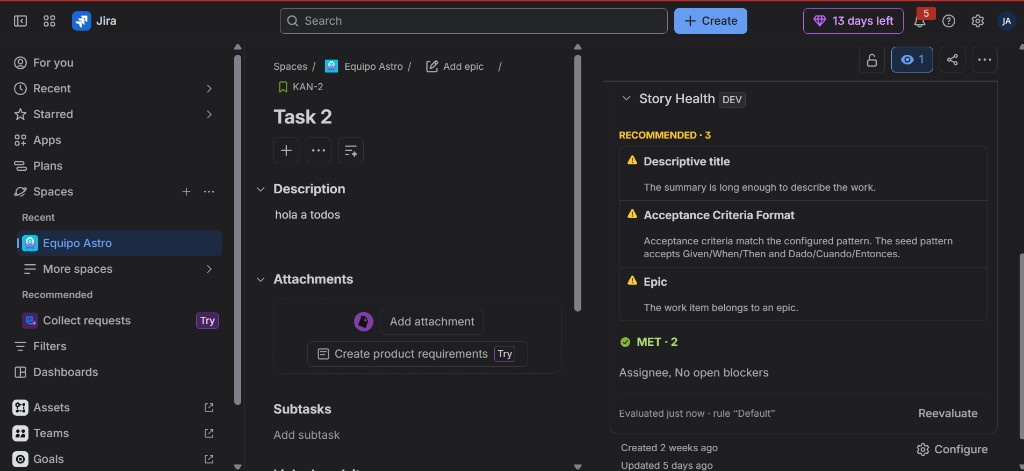
Open an evaluated story. The Story Health panel shows the score, the traffic light, and a checklist of met and pending criteria. Each criterion includes its help text. Pending mandatory criteria appear first.
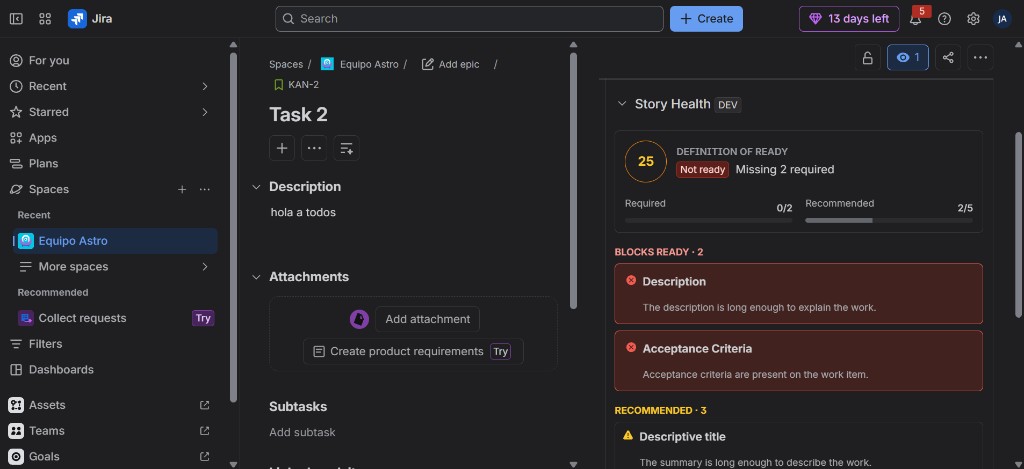
Recommended criteria and criteria already met continue on the same panel.
How the score is calculated
The score runs from 0 to 100. It is the sum of the weights of the met criteria, divided by the sum of the weights of the applicable criteria, scaled to 100.
A criterion whose field does not exist in the space is not applicable. It is left out of the denominator and does not lower the score.
Traffic light
These are the factory thresholds. A Jira administrator can change them in global administration.
- Red: below 60.
- Amber: from 60 to 89.
- Green: from 90 upward.
If a mandatory criterion fails, the traffic light cannot be green even when the score is 90 or higher.
When the panel shows no score
The panel explains the situation and does not show a score in these cases:
- The app is turned off for the space.
- The item type is not one the space evaluates. By default only Story is evaluated.
The detail of each criterion is in Criteria. To refresh the result by hand, use the button described in Field and recalculation.