Space configuration
Each space inherits the standard defined in global administration. Only a space administrator can open its configuration and change what that team needs. It is in the space Space settings, under Apps, Story Health.
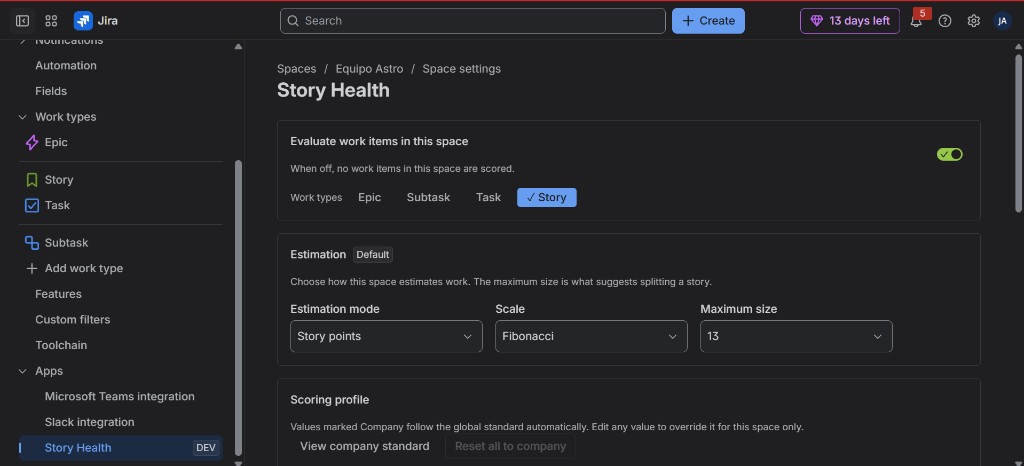
A space with no changes of its own picks up global changes as soon as they are saved. In Scoring profile, the Source column marks Company on values that follow the company standard. Reset all to company removes the space changes and inherits the standard again. In the screenshot the button is disabled because no value is overridden.
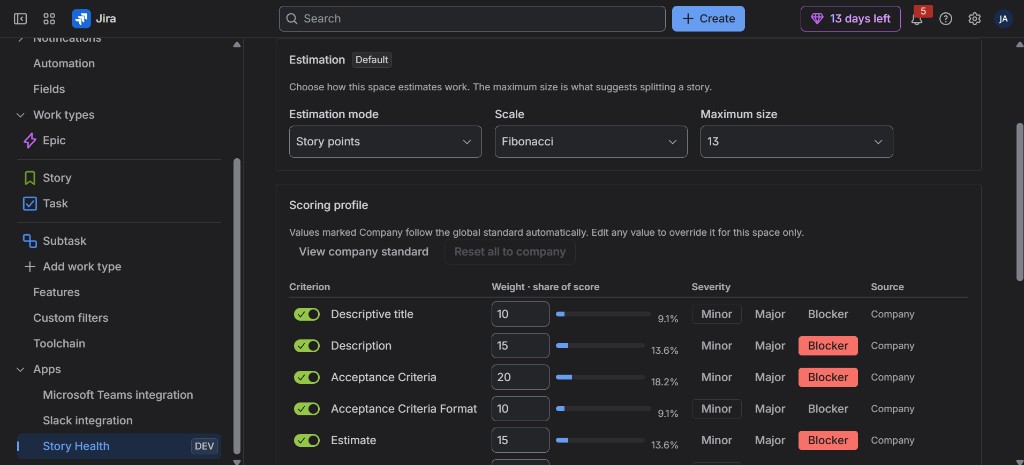
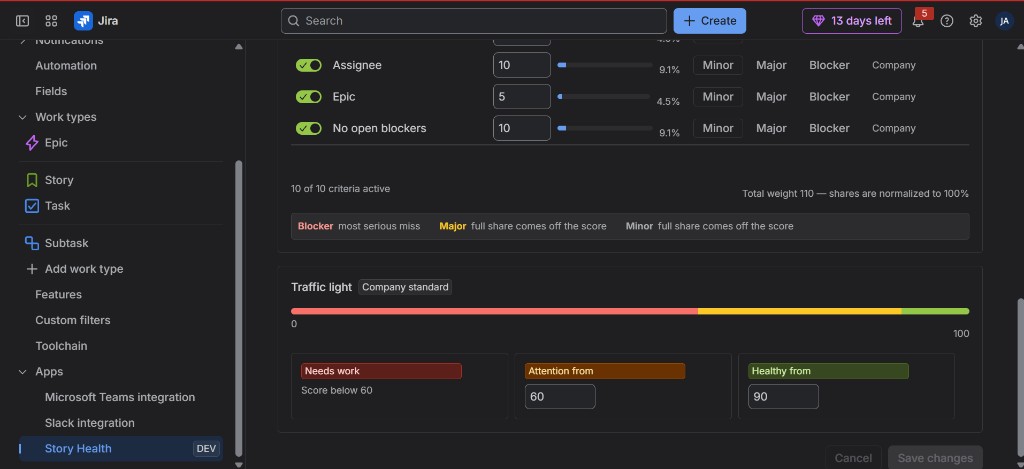
The space traffic light can follow the company standard too. The Company standard badge shows that.
Activation and item types
The app can be active or inactive in the space. With the space turned off, no item is evaluated and the panel shows no score.
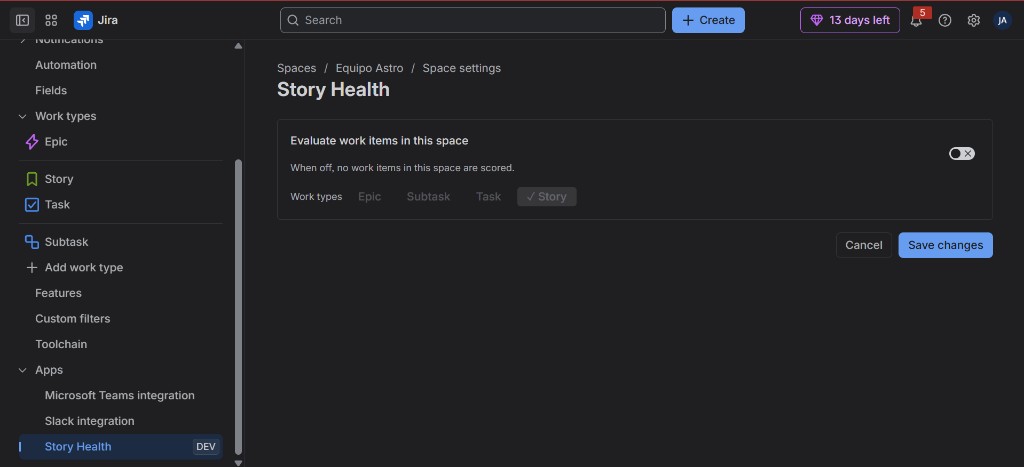
By default only the Story type is evaluated. Other types can be added. An item of a type that is not included says so on the panel and does not show a score.
Estimation
Estimation mode, scale, and maximum size are on the same page, in the figure at the top. The mode tells the app how to validate the size of the story:
- Story points.
- Hours, using the original estimate.
- A custom field.
The scale can be Fibonacci or a list of values of your own. Maximum size is also configured here: the app uses it to suggest splitting the story when it goes past that size.
Those settings feed the estimate-present, valid-estimate, and maximum-size criteria described in Criteria.