Criteria
A criterion is a rule the story either meets or does not meet. Each one has a weight, a severity, and help text. Severity is mandatory or recommended. The help text is what the team sees on the panel. It can be written in Spanish and in English.
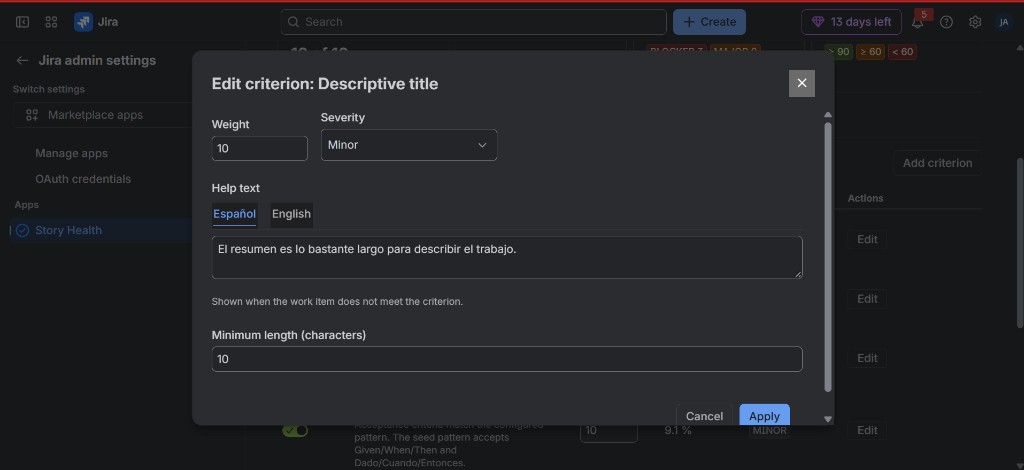
Factory criteria
These ten criteria exist as soon as the app is installed. They cannot be deleted; they can only be turned off.
Mandatory by default:
- Description.
- Acceptance criteria present.
- Estimate present.
Recommended by default:
- Descriptive title.
- Acceptance criteria format.
- Valid estimate.
- Maximum size.
- Assignee set.
- Linked to an epic.
- No open blockers.
Acceptance criteria
The source is configured so the app can find the team's acceptance criteria:
- A custom field.
- A section of the description, identified by a heading. The criterion is met when that heading has content under it.
The format, for example Given / When / Then, is checked with a pattern that can be edited. A pattern with invalid syntax is not saved: the error appears next to the field.
Custom criteria
An administrator can create, edit, and delete custom criteria for company-specific rules. When creating one, choose a type, fill in the name and parameters, and set the weight and severity.
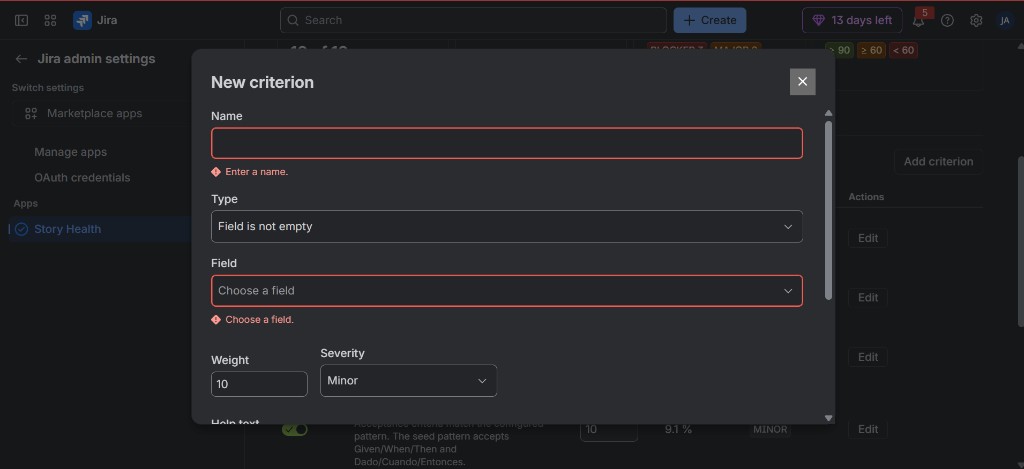
Available types:
- Field is not empty.
- Value is in a list.
- Text matches a pattern or has a minimum length.
- Number is in a range.
- Has a link of a given type.
- Has a parent.
The weight must be greater than zero. If the field the criterion uses does not exist in the space, the criterion is not applicable and does not lower the score.
When you delete a criterion that a space is using, the app first tells you which spaces use it.
Criteria are turned on, turned off, and adjusted in global administration. A space can inherit them or override them in space configuration.