Global administration
The global administration page defines the company standard. Only Jira administrators can open it. In Jira admin settings, open the Marketplace apps menu, go to Manage apps, and under Apps select Story Health.
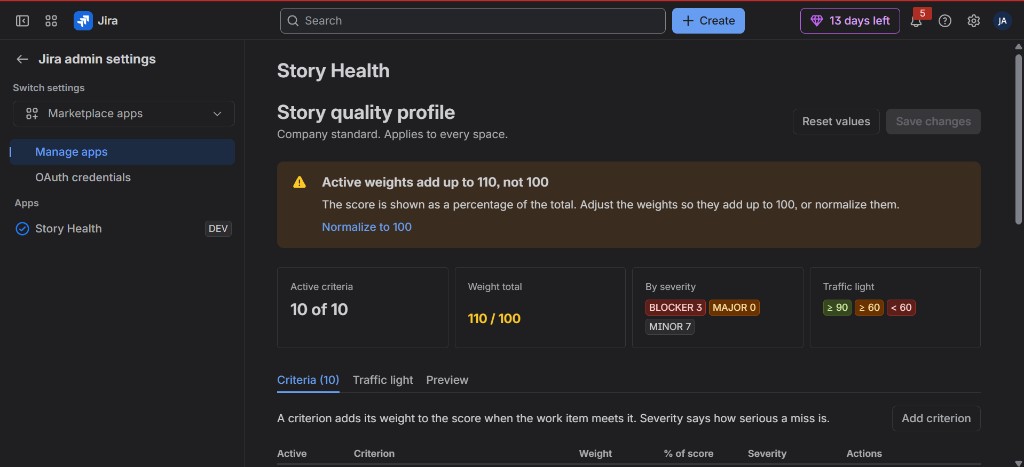
From that page you can:
- Turn criteria on or off, including the factory criteria.
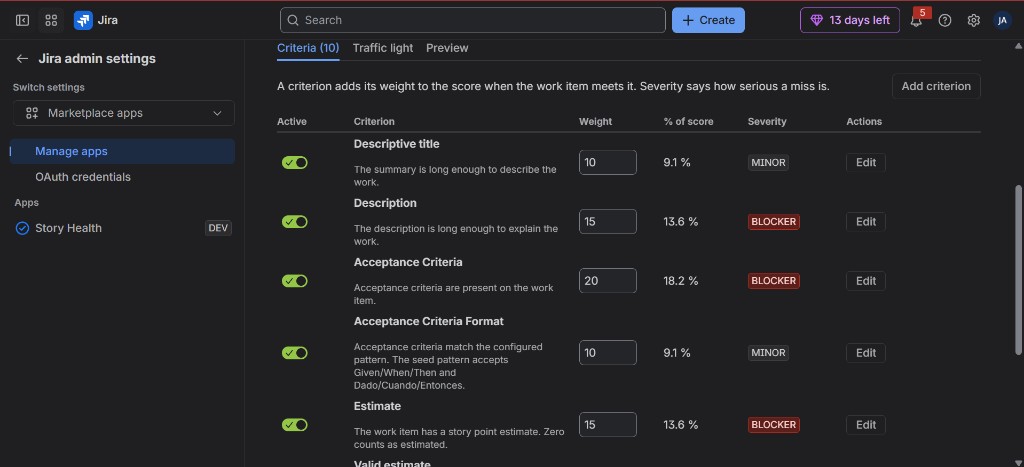
- Edit the weight, severity, and help text of each criterion.
- Create, edit, and delete custom criteria. The detail is in Criteria.
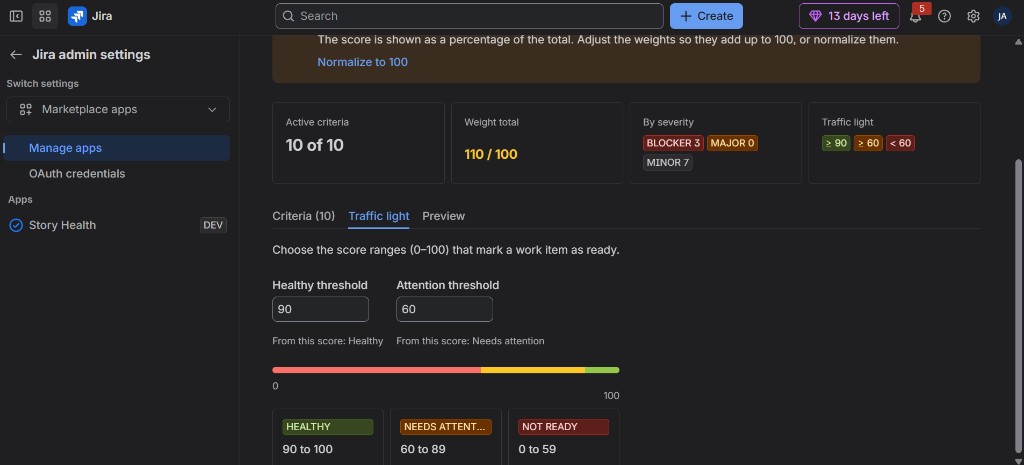
- Change the traffic-light thresholds.
The Criteria tab lists each criterion with its weight and severity.
The Traffic light tab sets the score ranges.
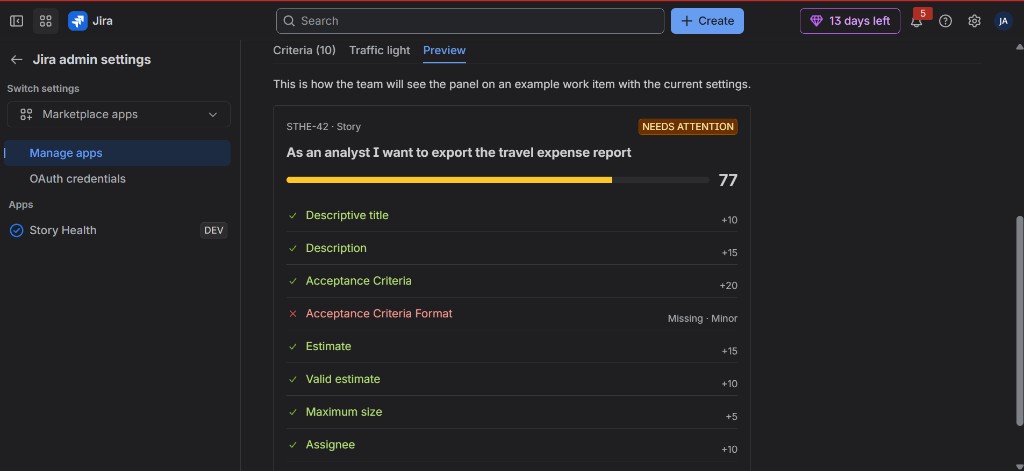
The Preview tab shows the panel as the team will see it with the current settings.
When you save, the app confirms the operation and keeps the changes. A space with no values of its own starts using this standard as soon as it is saved. Values a space has already overridden do not change; they stay marked as their own until someone resets them.
What cannot be saved
The page rejects a configuration that would make the score inconsistent. The error appears next to the field that causes it, and you cannot save until you fix it.
- A weight less than or equal to zero.
- Traffic-light thresholds that are out of order.
- A text pattern with invalid syntax.
Estimation, item types, and settings for a single space are configured in Space configuration, not here.