Central release view
The central release view brings together the versions of every Jira space in one table. This lets you review the status of all your releases without opening each space.
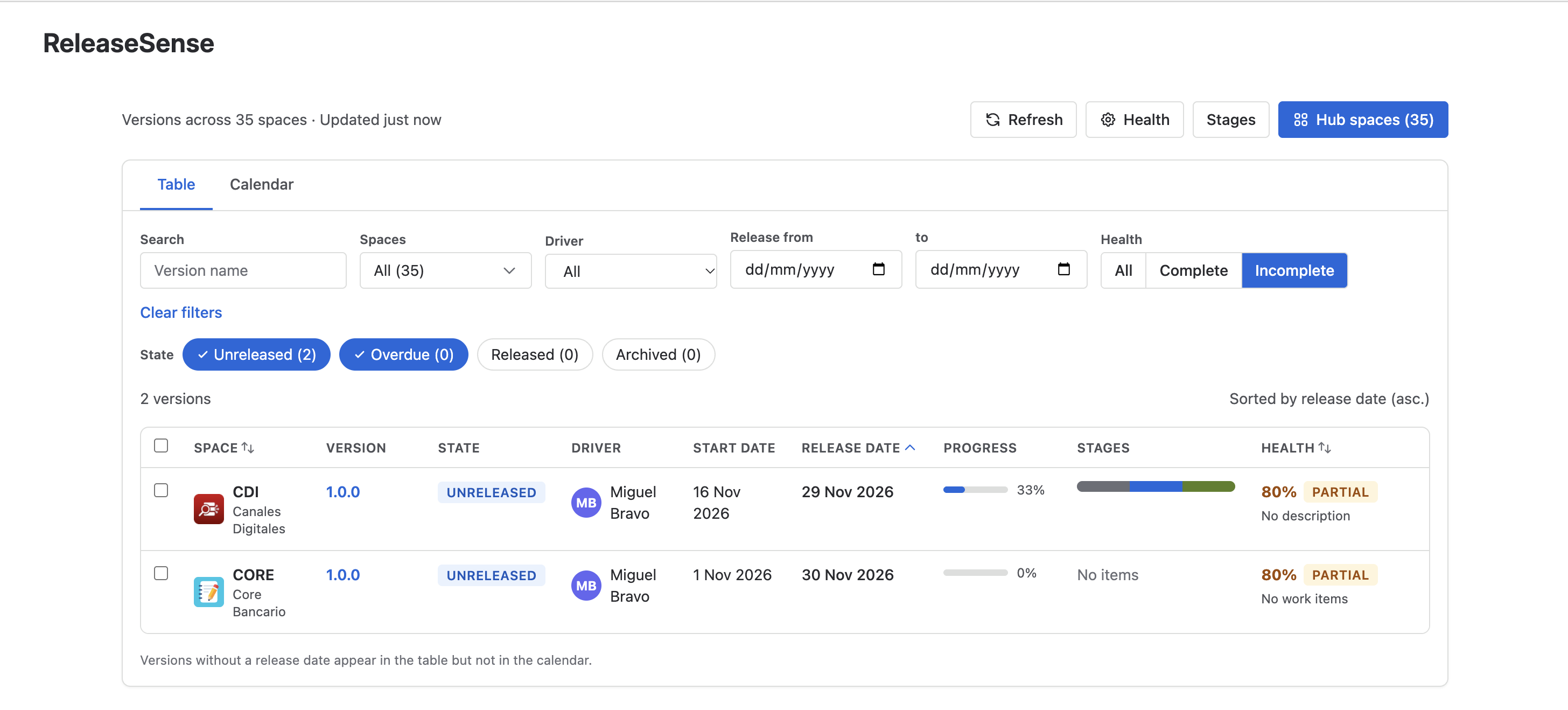
Table
The table shows one row per version, with these columns:
- Space and version: which space the version belongs to and its name.
- State: Unreleased, Overdue, Released, or Archived.
- Driver: the person responsible for the release.
- Start date and Release date: start and release dates.
- Progress: percentage of work items done.
- Stages: bar showing how work items are split by stage. See Progress by workflow stage.
- Health: health percentage and label. See Release health.
Click a version to open its detail.
Filters
You can filter the table by:
- Search: version name.
- Spaces: one or more spaces.
- Driver: the person responsible.
- Release from / to: release date range.
- Health: All, Complete, or Incomplete.
- State: Unreleased, Overdue, Released, and Archived. You can turn on several at once. Clear filters removes them all.
Calendar
The Calendar tab shows the versions with a release date on a monthly calendar. Each version appears on its day and is colored by its state: blue for Unreleased, red for Overdue, and green for Released.
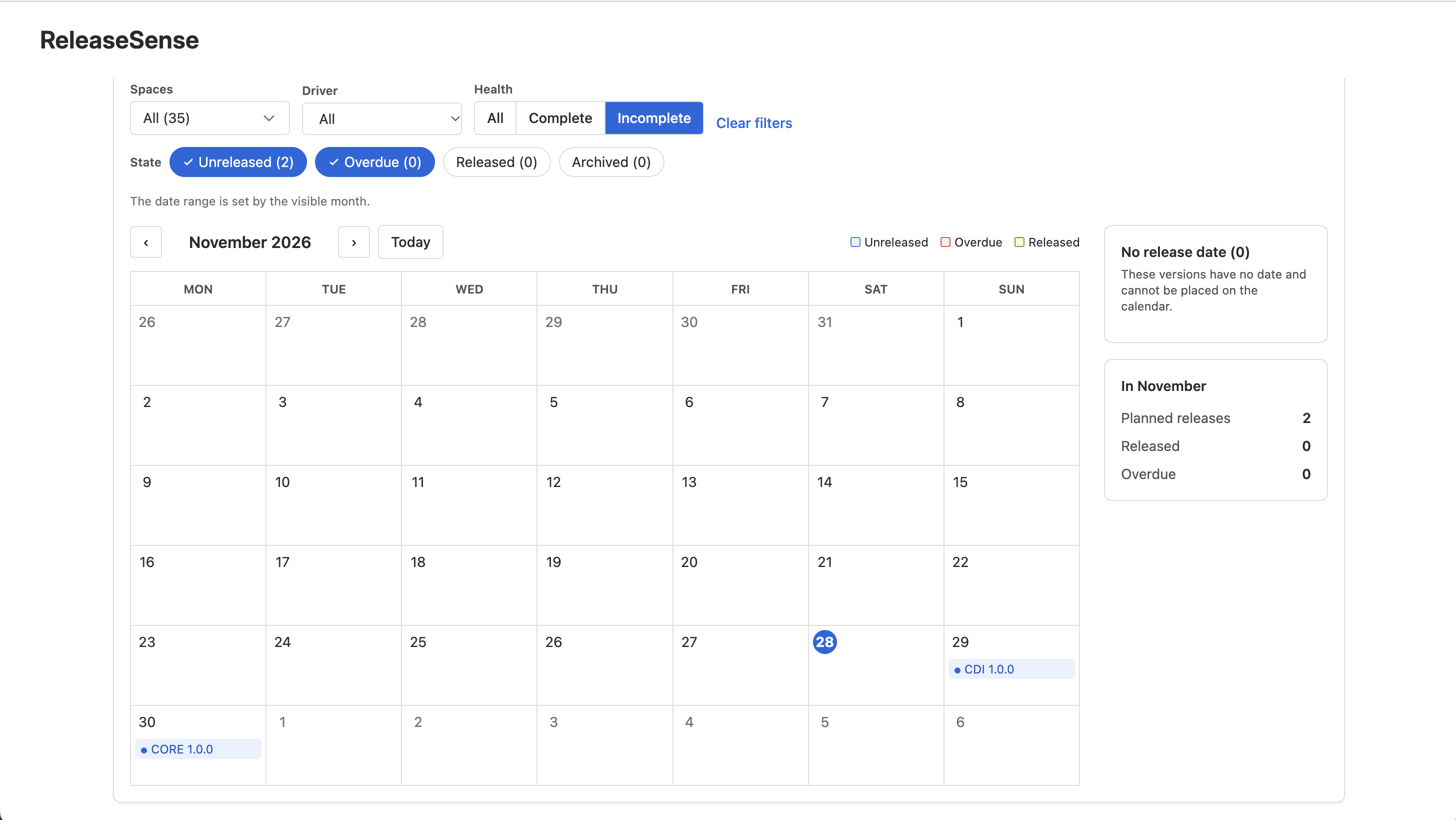
- The arrows change the month, and Today goes back to the current month. Filters apply to the versions in the visible month.
- The panel for the visible month summarizes planned, released, and overdue releases.
- Versions without a release date appear in the table but not in the calendar. The No release date panel lists them.